
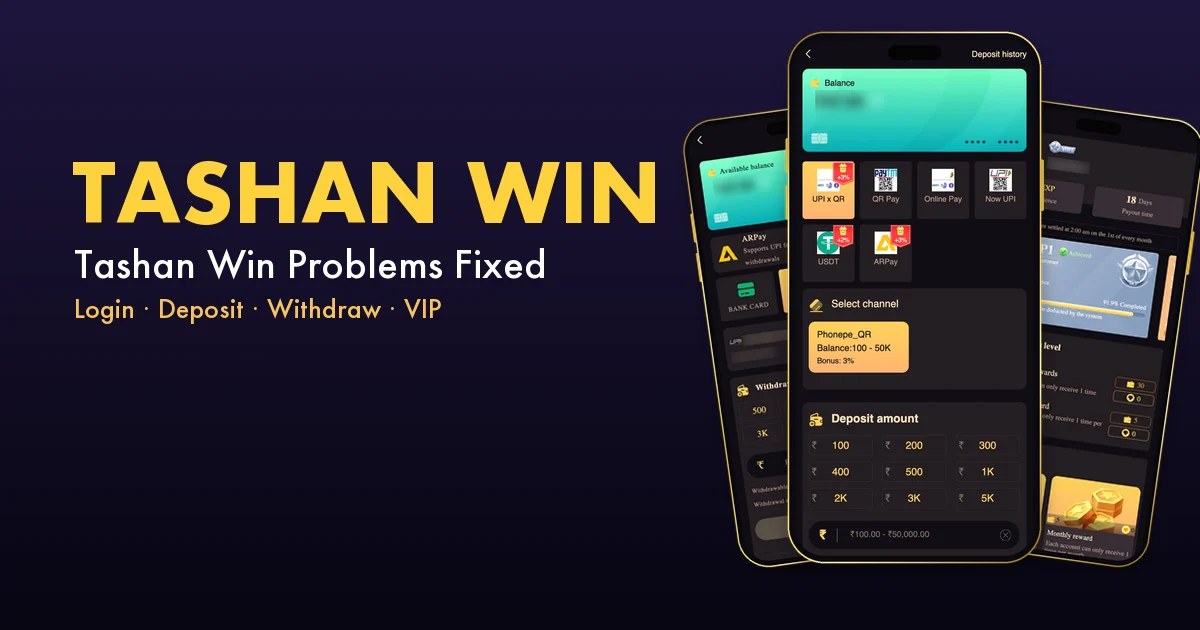
TROUBLESHOOTING GUIDE
Tashan Win Problems & Fixes 2026: Tashanwin Login, App, Deposit and Withdrawal
Stuck on Tashanwin? This troubleshooting guide lists the 13 problems players hit most, from login errors to rejected withdrawals, with the cause and the exact fix for each.
Jump to your problem:
- Tashanwin Login Says Wrong Password
- Tashan Win Logs You Out
- Forgot Your Tashanwin Password
- Invite Code Missing After Sign-Up
- Tashan Win App Won’t Install
- Deposit Not Credited
- Can’t Find a Deposit Bonus
- Withdraw Button Not Working
- Tashan Win Withdrawal Rejected
- Balance Looks Lower Than Expected
- VIP Level Dropped
- Check-In Bonus Not Claimable
- Someone Asks for Your OTP
Before You Troubleshoot Tashanwin
Most Tashan Win issues come from three things: using a different device or link, a mismatch between what you paid and what the order said, or an unmet rule such as a betting requirement. Check the official numbers first. They explain most “why won’t it work” moments.
| Tashanwin rule | Value |
|---|---|
| Login | Phone (+91) or email + password |
| Deposit | ₹100 – ₹50,000 |
| Withdrawal | ₹200 – ₹2,00,000 |
| Withdrawals per day | 3 |
| Withdraw time | 00:00 – 23:59 |
| VIP1 maintenance | 3,000 EXP a month |
| First deposit bonus turnover | 1× |
Problem 1: Tashanwin Login Says Wrong Password
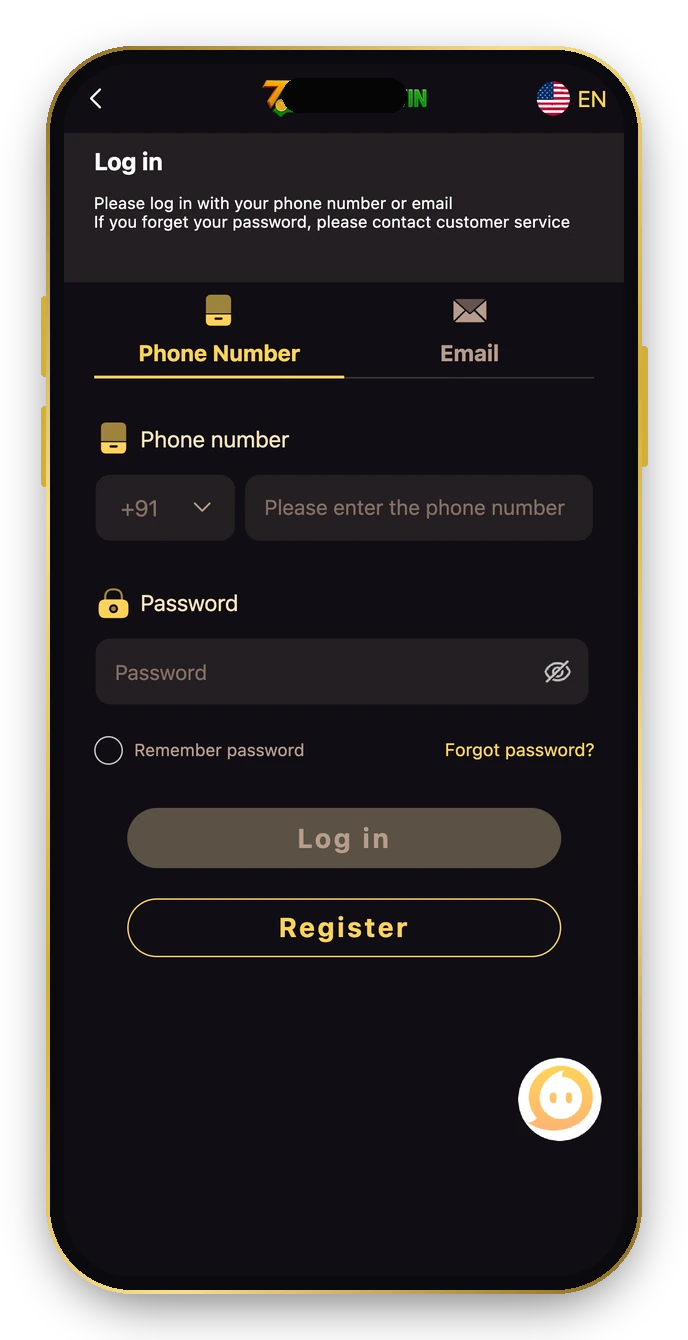
What you see
The Tashanwin login screen rejects your password even though you’re sure it’s right.
Why it happens: Browsers often autofill an old password, or you registered on the Email tab instead of Phone Number.
Fix: follow these steps in order.
- Clear the password box and type it by hand; use the eye icon to check it.
- Make sure you’re on the right tab: Phone Number (+91) or Email.
- Type the number without a leading zero.
- Still stuck? Go to Problem 3.
Problem 2: Tashan Win Logs You Out
What you see: You keep getting signed out, or a “token has expired” style message appears.
Why it happens: Private/incognito tabs and cleared cookies forget your session; logging in on a second device can also end the first.
Fix: follow these steps in order.
- Use a normal browser tab or the Tashan Win app from Add to Desktop.
- Tick Remember password on your own phone.
- Stay logged in on one device at a time.
Problem 3: Forgot Your Tashanwin Password
What you see: You can’t remember the password at all.
Why it happens: It happens, especially if the browser saved it and you changed phones.
Fix: follow these steps in order.
- Tap Forgot password? on the Tashanwin login screen.
- Follow the reset steps for your registered number.
- If that fails, open Account → Service center → Customer Service (or ask from another device) with your registered number and UID.
Problem 4: Invite Code Missing After Sign-Up
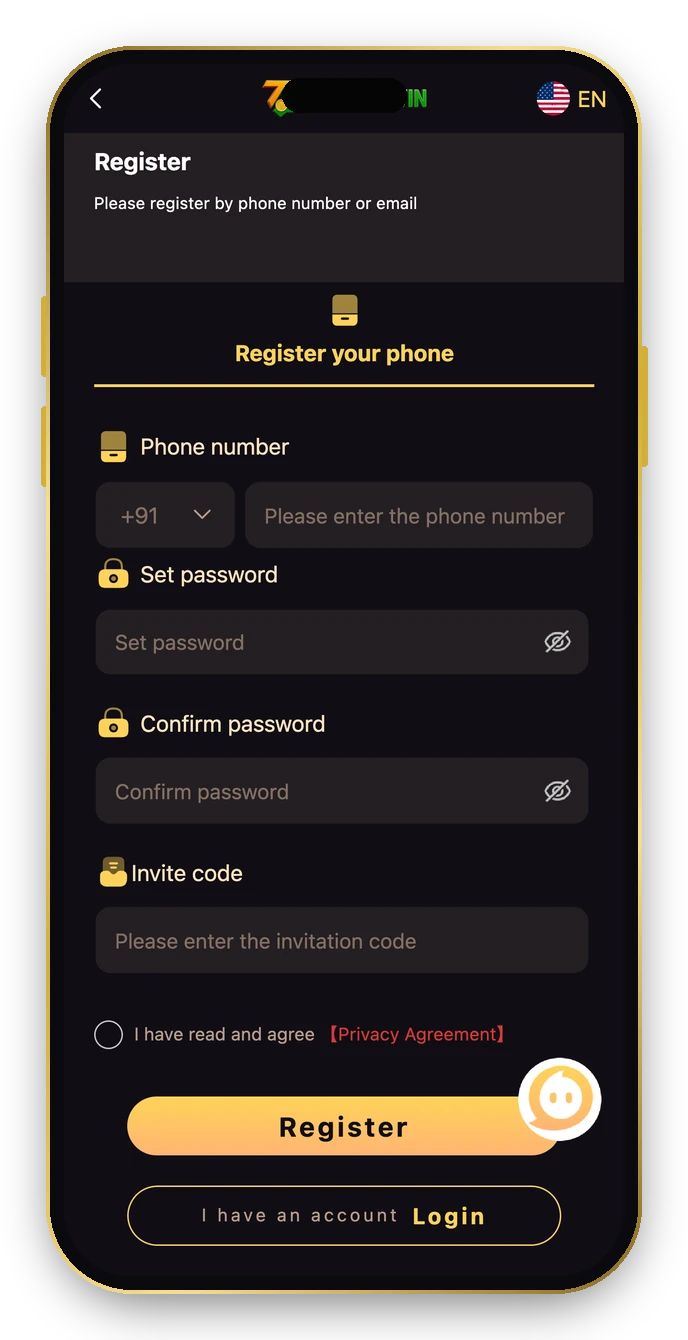
What you see
You signed up but forgot to enter the invite code.
Why it happens: The Tashan Win register form is the only place the code can be entered.
Fix: follow these steps in order.
- For a new account, enter 521834254689 in the Invite code box before tapping Register.
- Existing accounts can’t add a code later, so contact customer service only if you have a genuine issue.
Problem 5: Tashan Win App Won’t Install

What you see
You can’t find or install a Tashan Win app file.
Why it happens: Tashanwin is a web app. Random APK files from groups are not needed and can be unsafe.
Fix: follow these steps in order.
- Open Tashanwin in Chrome (Android) or Safari (iPhone).
- Tap the floating Get ₹11 · Add to Desktop button, or use the browser’s Add to Home Screen.
- Open the new icon and log in once.
Problem 6: Deposit Not Credited
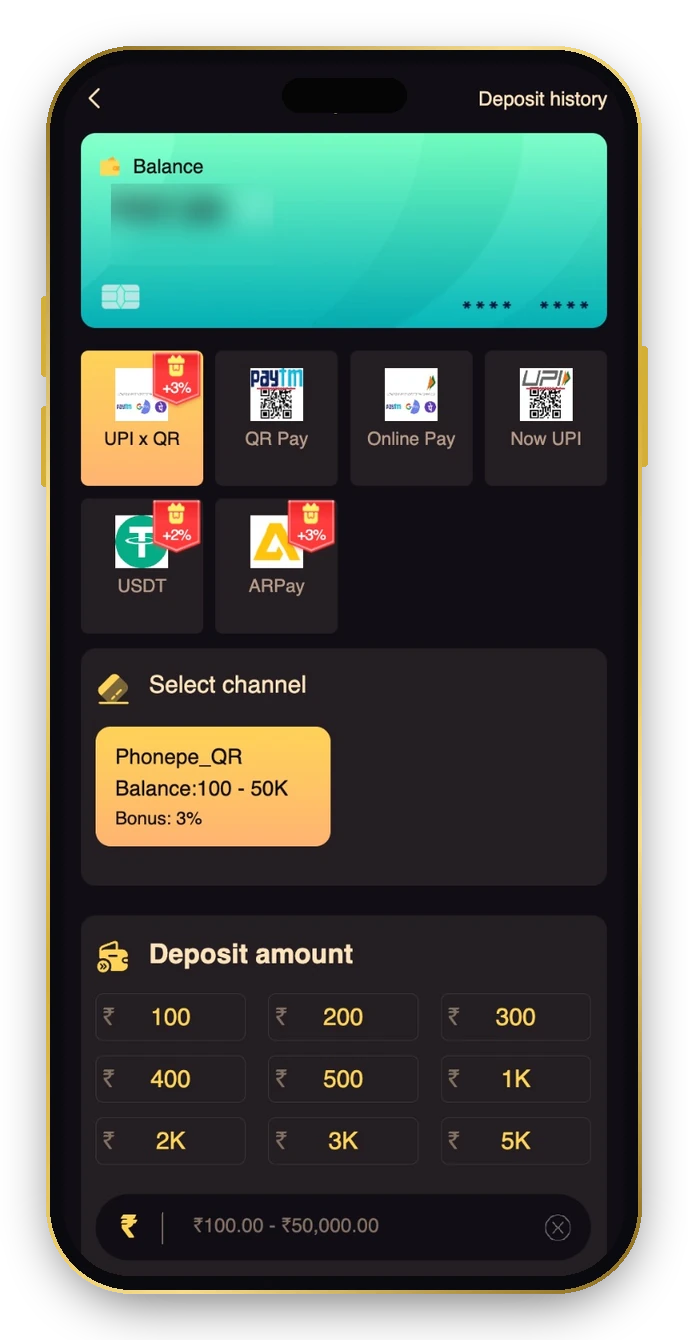
What you see
You paid but the balance didn’t go up.
Why it happens: The paid amount didn’t match the order, the order was cancelled after paying, or the payment timer ran out.
Fix: follow these steps in order.
- Always pay the exact order amount.
- Never cancel an order after paying.
- If the timer expired, create a new order rather than paying the old QR.
- Send customer service the UTR (12-digit UPI reference) and a screenshot.
| Deposit method | Extra |
|---|---|
| UPI x QR | +3% |
| QR Pay | – |
| Online Pay | – |
| Now UPI | – |
| USDT | +2% |
| ARPay | +3% |
Problem 7: Can’t Find a Deposit Bonus
What you see: You expected a bonus on your deposit but didn’t see it.
Why it happens: Some extras depend on the method or day: +3% on UPI x QR and ARPay, +2% on USDT, and a 5% recharge bonus only on the 9th, 19th and 29th.
Fix: follow these steps in order.
- Pick a method with a bonus tag if you want the extra.
- Deposit on the 9th, 19th or 29th for the 5% recharge day.
- First deposit offers (advertised up to ₹2,000) must be claimed manually and need 1× turnover.
Problem 8: Withdraw Button Not Working
What you see
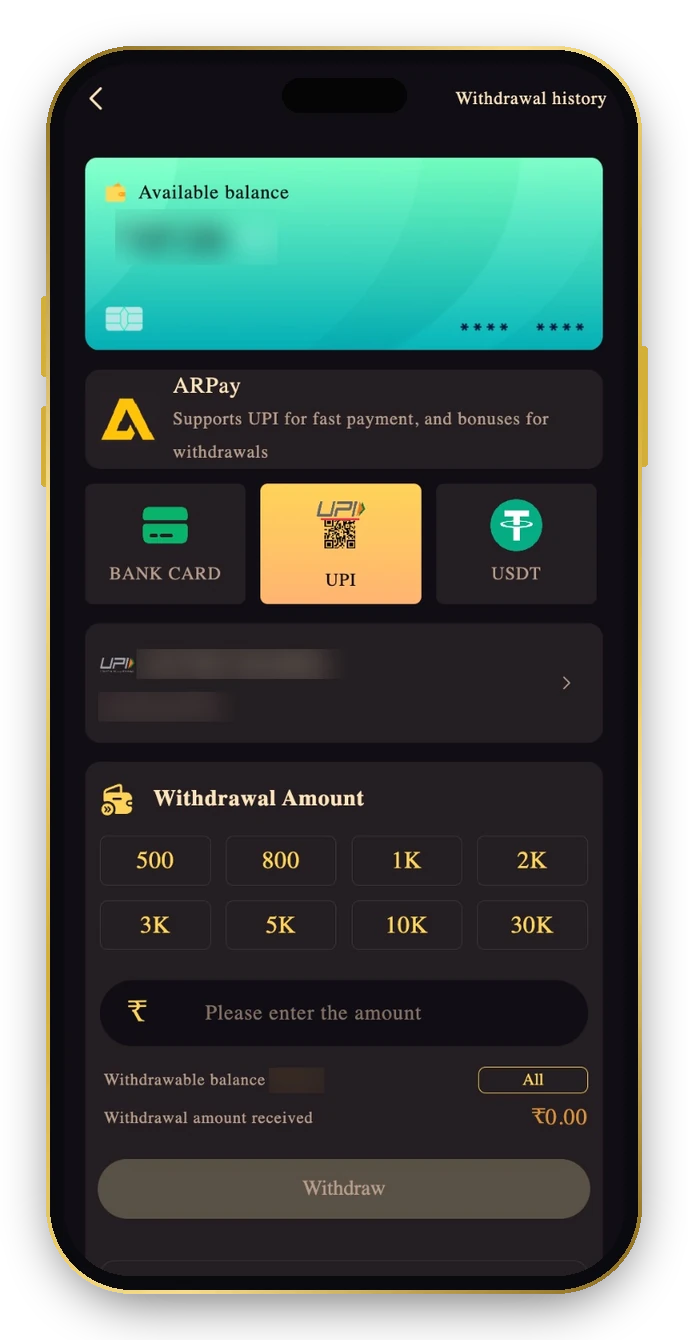
The Withdraw button is greyed out.
Why it happens: Either the “Need to bet” line isn’t at ₹0.00, the amount is outside ₹200–₹2,00,000, or no payout account is saved.
Fix: follow these steps in order.
- Read the line under the button; play through any remaining amount.
- Enter at least ₹200.
- Add a bank card, UPI or USDT account first.
Problem 9: Tashan Win Withdrawal Rejected
What you see: Your Tashan Win withdrawal shows Rejected.
Why it happens: Most rejections come from wrong or mismatched bank/UPI details, or an unmet rule.
Fix: follow these steps in order.
- Check the account name exactly matches your own.
- Re-enter the IFSC or UPI ID carefully.
- Ask customer service for the reason, quoting the order number.
Problem 10: Balance Looks Lower Than Expected
What you see: The total balance is higher than what you can withdraw.
Why it happens: Part of the money may be sitting in a third-party game wallet, or tied to a bonus turnover.
Fix: follow these steps in order.
- Open Wallet and tap Main wallet transfer.
- Finish any bonus betting requirement.
- Refresh the balance with the circular arrow icon.
Problem 11: VIP Level Dropped
What you see
Your VIP badge went down at the start of the month.
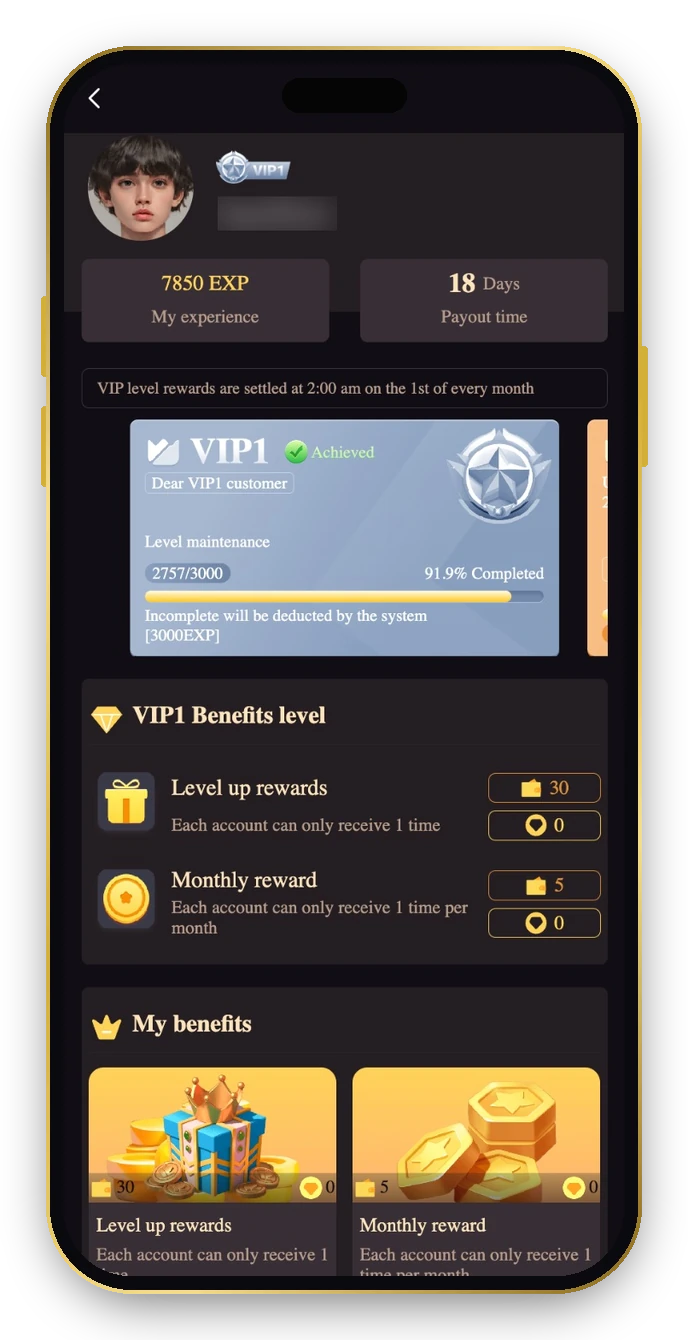
Why it happens: Tashanwin VIP needs monthly level-maintenance EXP. VIP1 needs 3,000 EXP; missing it deducts EXP and can downgrade you.
Fix: follow these steps in order.
- Watch the Level maintenance bar on the VIP page.
- Remember ₹1 bet = 1 EXP.
- Don’t bet extra just to keep a level. VIP1 pays only ₹30 once and ₹5 a month.
Problem 12: Check-In Bonus Not Claimable
What you see: The Attendance button won’t give you the daily reward.
Why it happens: Check-in needs a deposit history and an accumulated deposit for each day, from day one.
Fix: follow these steps in order.
- Make sure you’ve deposited before checking in.
- Day 1 needs ₹200 total for ₹2; day 7 needs ₹5,000 for ₹150.
- Check in once every day. Missing a day resets the streak.
Problem 13: Someone Asks for Your OTP
What you see: A caller or chat contact asks for your OTP or password to “unlock” a bonus.
Why it happens: That’s a scam. Genuine support never needs your OTP or password.
Fix: follow these steps in order.
- Don’t share anything; block the contact.
- Use only the official Tashan Win link or app.
- Report it through in-app Customer Service.
Still Stuck? Contact Tashan Win Support
Open Account → Service center → Customer Service. Send your UID, the order number (for deposits or withdrawals), the UTR for payments, and a screenshot. A clear first message gets a faster answer.
Tashan Win समस्याएँ और समाधान (हिंदी)
पासवर्ड गलत? ख़ुद टाइप करें और सही टैब चुनें। डिपॉज़िट नहीं आया? बिल्कुल वही रकम भेजें, ऑर्डर कैंसल न करें, UTR सपोर्ट को दें। विड्रॉल नहीं हो रहा? “Need to bet” ₹0.00 होना चाहिए और रकम ₹200 से ज़्यादा। VIP गिर गया? हर महीने 3,000 EXP ज़रूरी है। कोई OTP माँगे तो वह धोखा है।
Tashan Win Troubleshooting FAQ
Why does Tashanwin login say wrong password?
Usually autofill or the wrong tab. Type the password by hand and pick Phone Number or Email correctly.
Why is my Tashan Win deposit not credited?
The amount didn’t match or the order was cancelled after paying. Send the UTR to customer service.
Why can’t I withdraw from Tashanwin?
The betting line isn’t ₹0.00, the amount is under ₹200, or no payout account is saved.
How do I install the Tashan Win app?
Use Add to Desktop on the home screen or your browser’s Add to Home Screen.
Why did my Tashan Win VIP level drop?
You missed the monthly level-maintenance EXP.
Does Tashanwin support ask for OTP?
No. Anyone asking for your OTP is a scammer.