
Khelv Withdrawal – Get Your Money Out Smoothly
A Khelv withdrawal goes to a bank account or UPI ID saved in your name. Setting it up correctly the first time avoids nearly every delay.
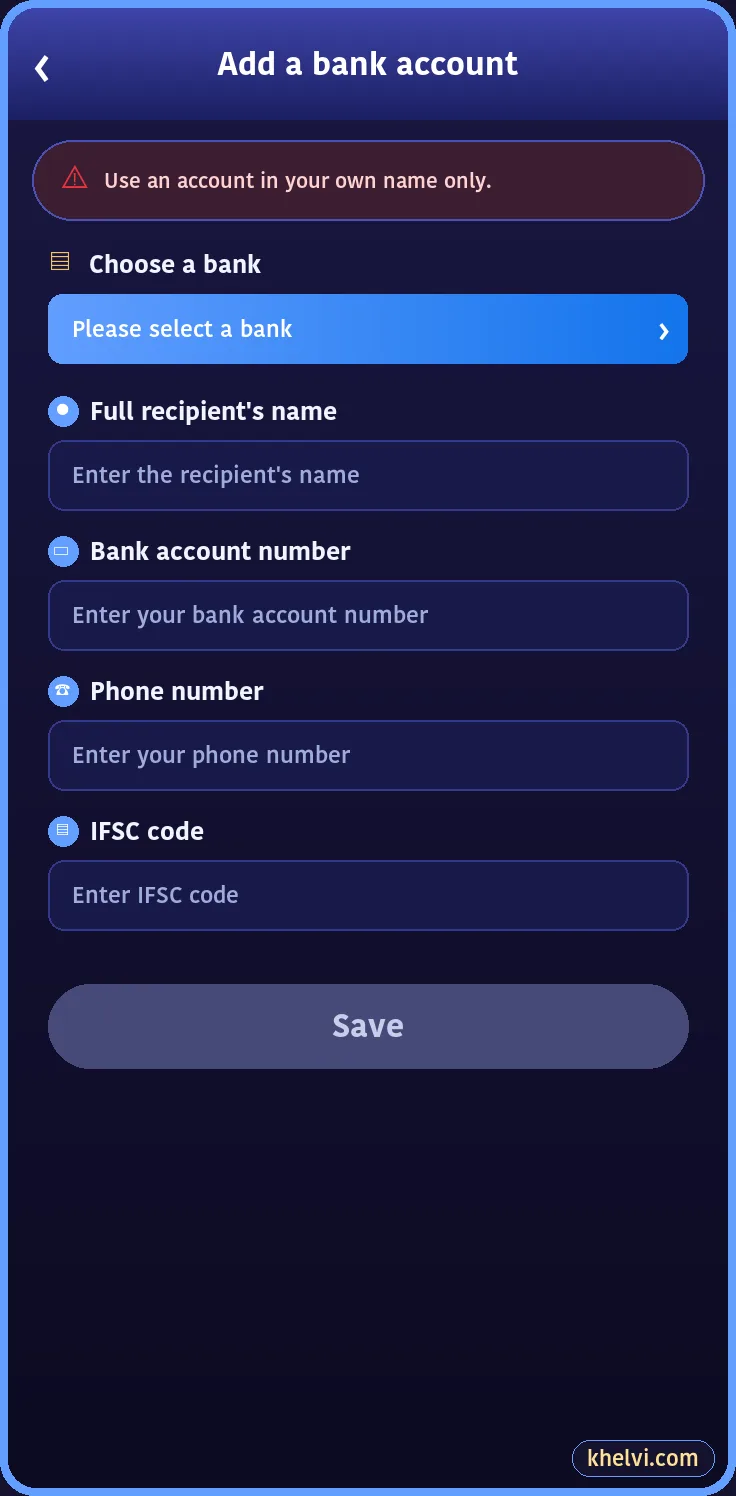
Step 1: Add a Bank Account or UPI ID
- Wallet → Withdraw → Add a bank account number.
- Choose your bank.
- Enter the account holder name exactly as the bank has it.
- Enter account number, phone and IFSC.
- Save. Or add a UPI ID under the UPI tab.
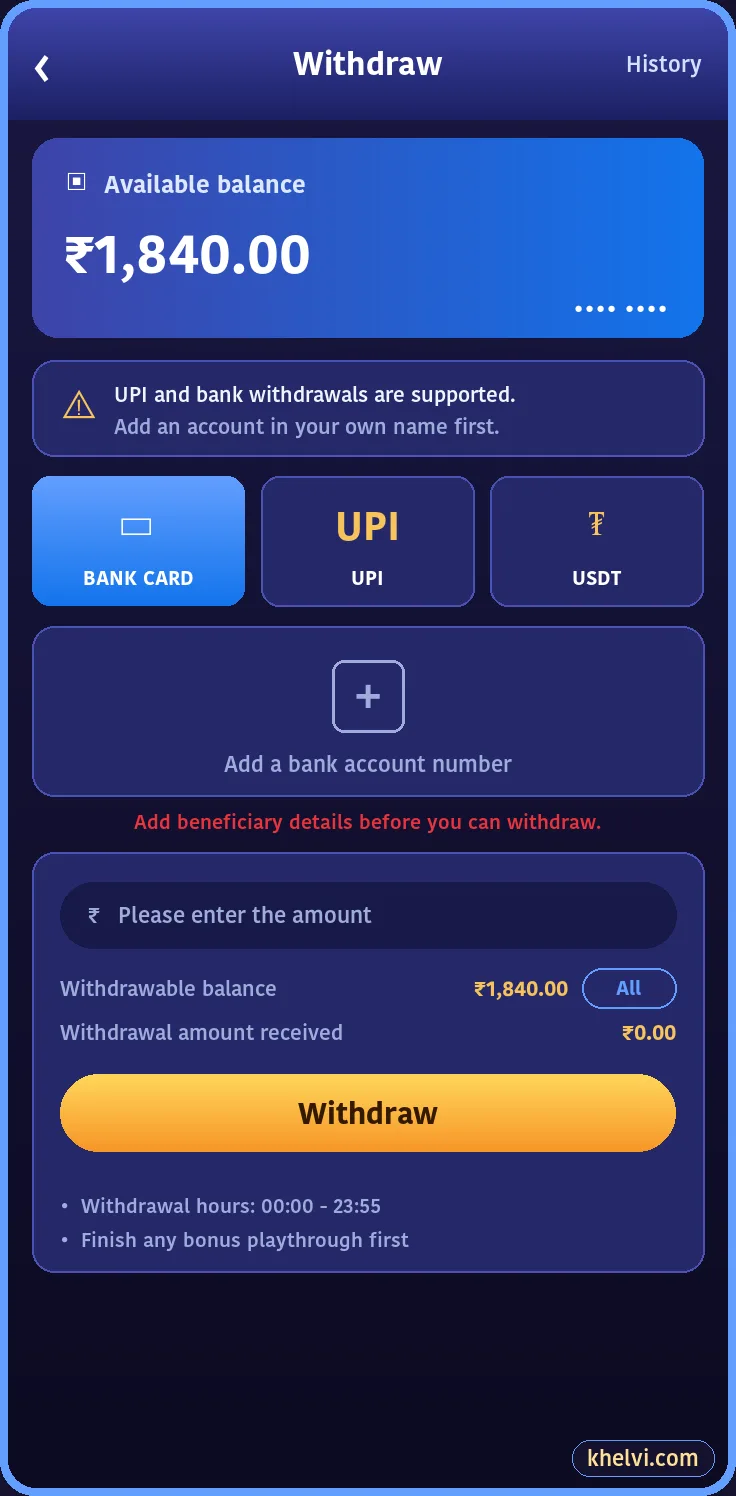
Step 2: Request the Withdrawal
- Wallet → Withdraw.
- Choose Bank Card, UPI or USDT.
- Enter the amount or tap All.
- Enter your withdrawal password and submit.
- Screenshot the request.
Withdrawal Time and Limits
| Item | Typical |
|---|---|
| Processing | A few hours, often same day |
| First withdrawal | May take longer for checks |
| Minimum | Shown on the Withdraw screen |
| Daily requests | Limited number per day |
| Hours | Shown on the Withdraw screen |
Why a Withdrawal Is Pending or Rejected
- 1Bonus playthrough not finished.
- 2Name mismatch with the bank account.
- 3Wrong IFSC or account number.
- 4Bank holiday or bank-side delay.
- 5Account under routine review.
Withdraw Regularly
Leaving a large balance in the wallet makes it easy to play it back. Many careful players withdraw part of every win. If a payout is stuck, contact Khelv customer care.
Frequently Asked Questions
How long does a Khelv withdrawal take?
Usually a few hours; first withdrawals can take longer.
Can I withdraw to someone else's account?
No. The account must be in your own name.