
Khelv Deposit – Add Money With UPI, QR or USDT
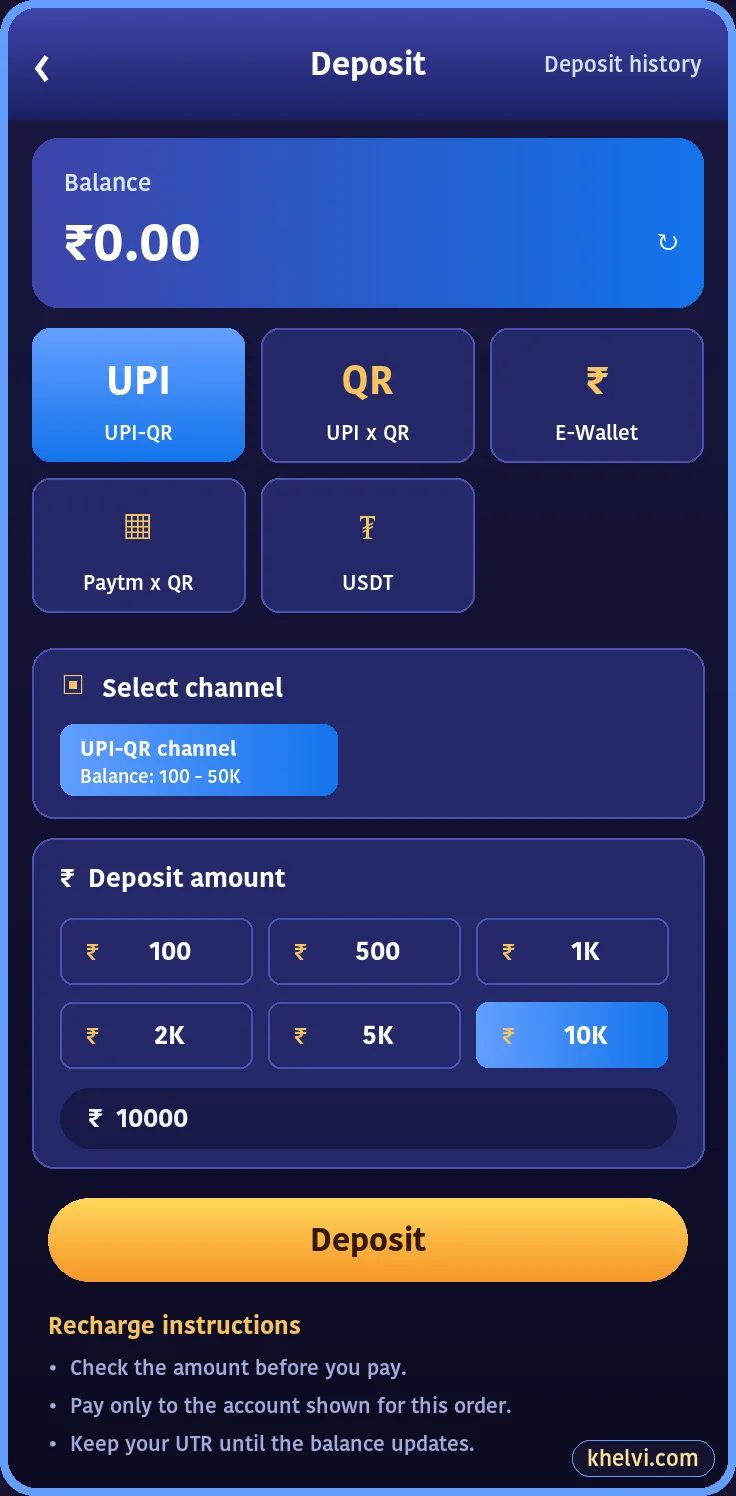
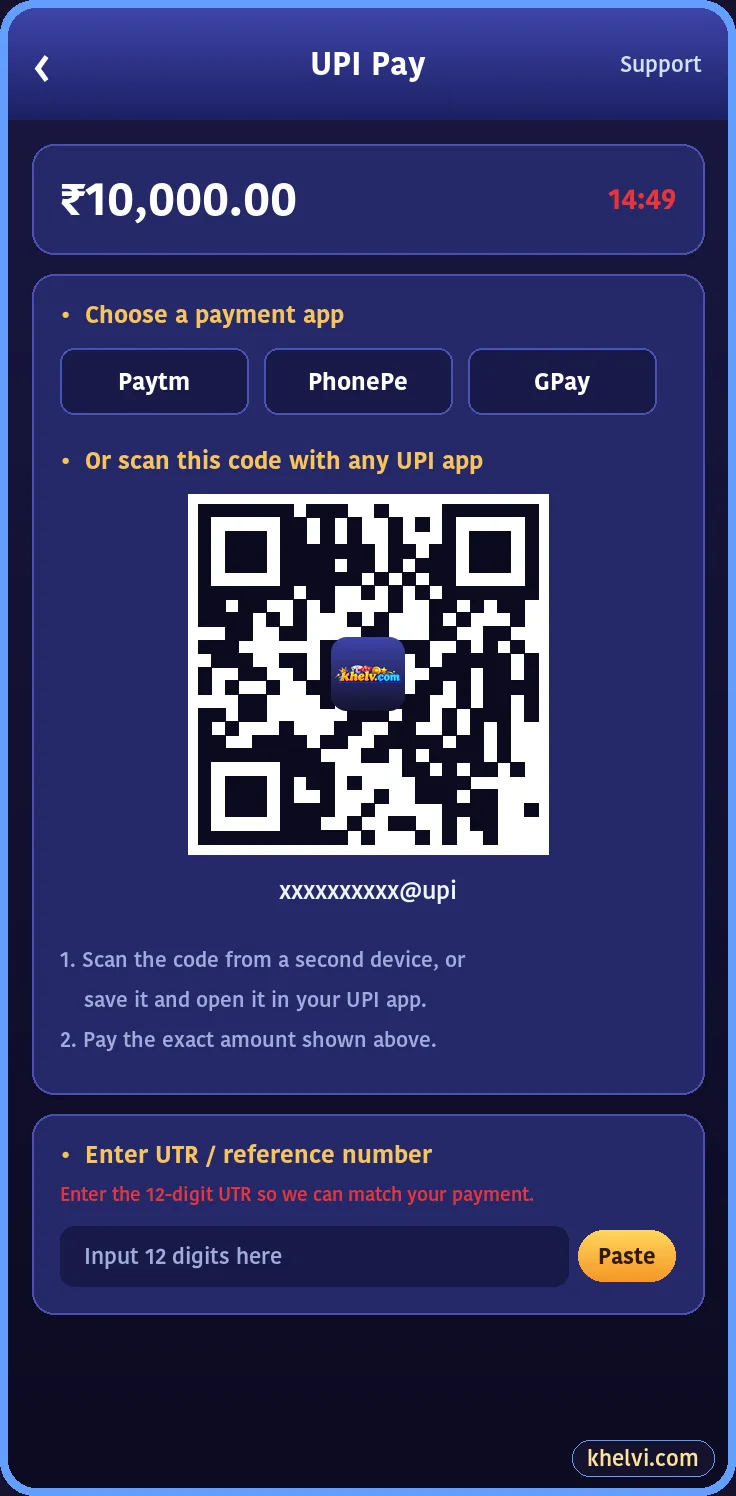
A Khelv deposit usually reaches your wallet within minutes. Here are the steps for each method and what to do if it does not show.

Deposit Methods on Khelv
| Method | How you pay | Typical time |
|---|---|---|
| UPI-QR | Scan with any UPI app | 1–10 min |
| UPI app | Open PhonePe, Google Pay or Paytm | 1–10 min |
| E-Wallet | Wallet payment page | A few minutes |
| USDT | TRC20 transfer | After network confirmations |
How to Deposit on Khelv
- Open Wallet → Deposit.
- Choose a method and channel.
- Tap an amount or type one.
- Tap Deposit to open the payment page.
- Pay the exact amount.
- Paste the 12-digit UTR if asked.
Golden Rules for Deposits
- 1Pay the exact amount shown.
- 2Never reuse an old QR code.
- 3Never pay a personal UPI ID sent in chat.
- 4Keep the UTR until the balance updates.
- 5Use a deposit limit if you want a hard cap.
Deposit Pending?
- Wait 15 minutes; UPI confirmations can lag.
- Check the UTR you entered.
- Contact Khelv customer care with UTR, amount, time and screenshot.
Step-by-step fixes are in Khelv UPI deposit pending fix.
First Deposit Bonus
Your first deposit earns a one-time bonus up to +₹488. See the table on Khelv bonus.
Frequently Asked Questions
What is the minimum Khelv deposit?
It depends on the channel and is shown on the deposit screen.
How long does a Khelv deposit take?
Usually a few minutes; up to 15 minutes in busy periods.